
Quick Start
Up and Running in Minutes
Let's get you up and running with the Rezzy API. This guide walks you through generating your first resume and cover letter from scratch.
1. Get an API Key
Create an account on Rezzy and head to dashboard/api/keys to create your first key.
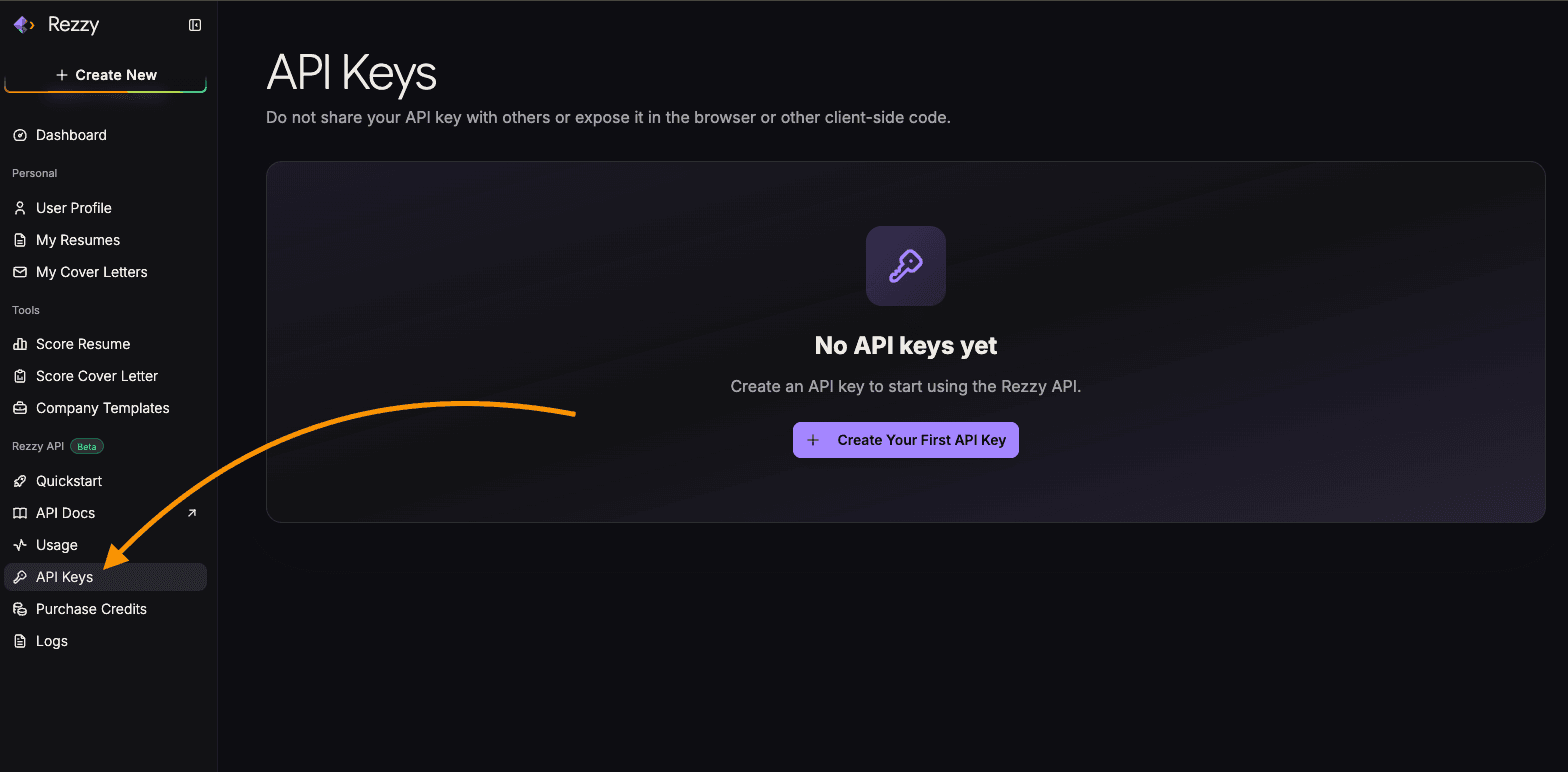
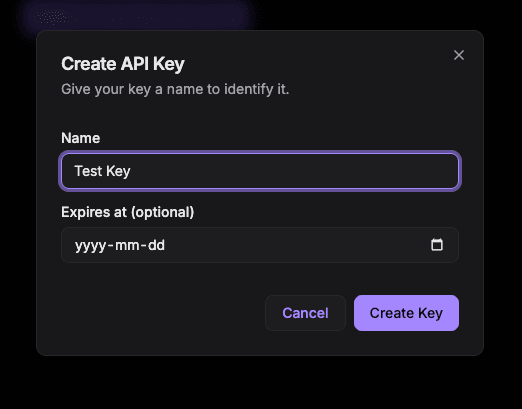
Click Create your first API Key and give it a name.
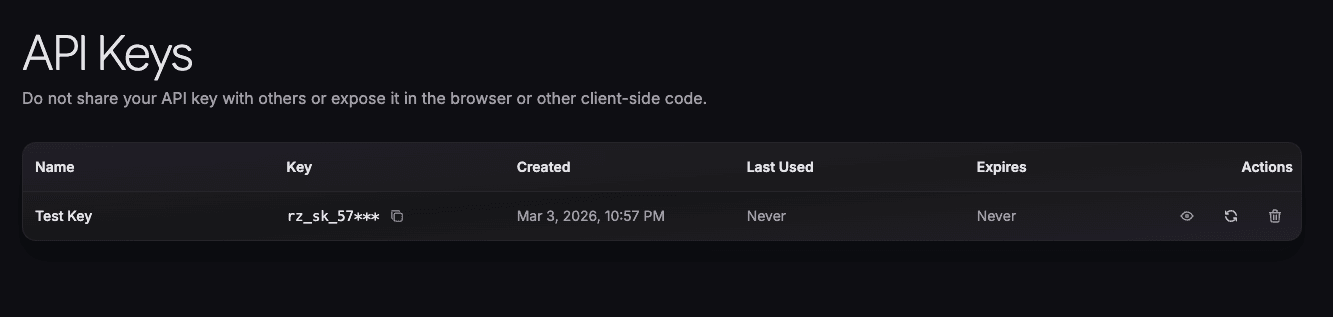
Copy your API key and store it somewhere safe. You will need it for every request.
2. Set Up Your Profile
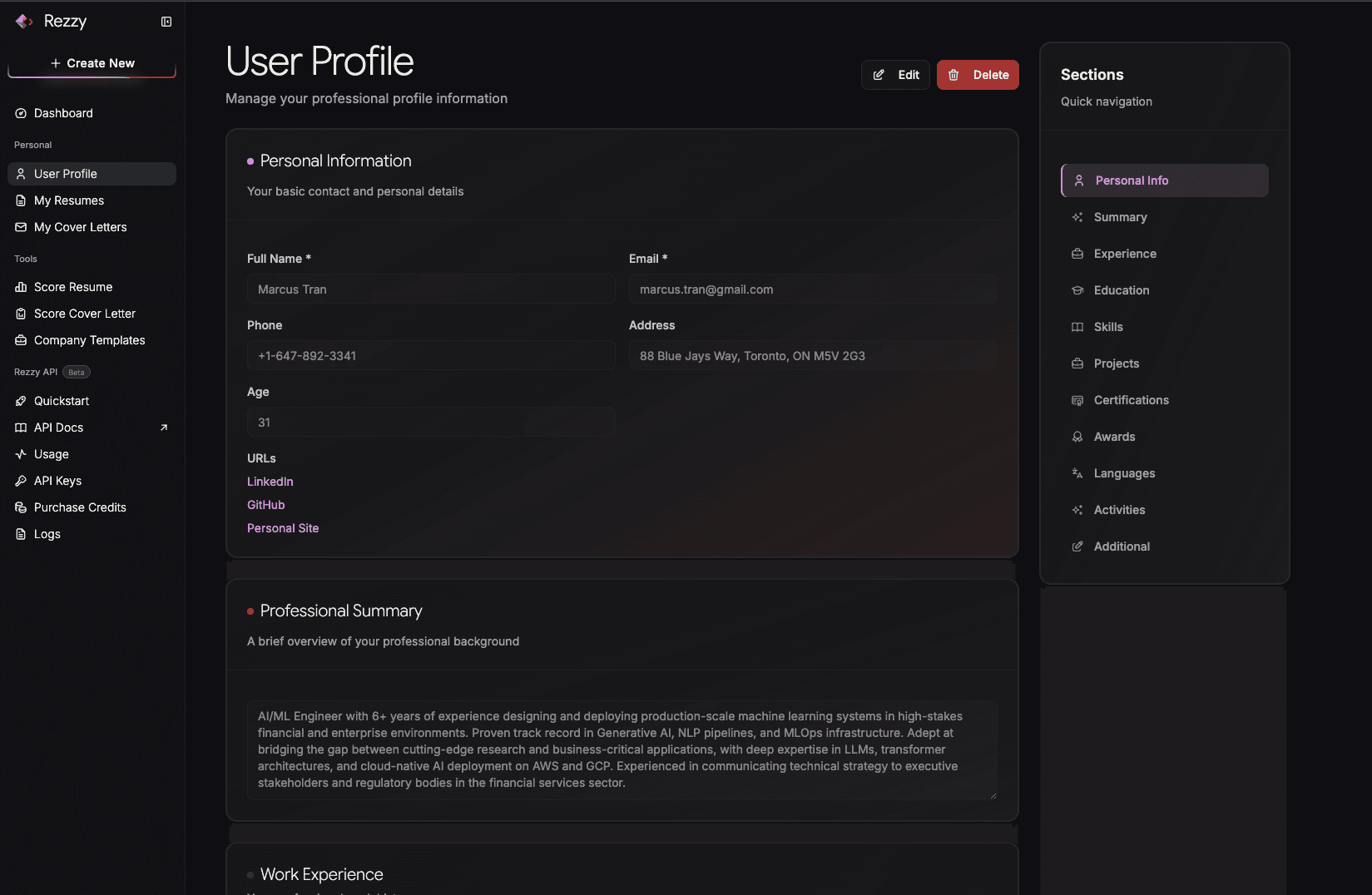
Before making any API calls, make sure you have a profile set up at rezzy.dev/dashboard/profile. The API uses your profile as the source of truth when generating resumes and cover letters. If you call the API without one, you will get an error.
3. Create a Resume or Cover Letter
Example: Create a resume
curl -X POST https://api.rezzy.dev/v1/resume/create \
  -H "Authorization: Bearer YOUR_API_KEY" \
  -H "Content-Type: application/json" \
  -d '{
    "title": "Senior Software Engineer",
    "job_description": "We are looking for a senior engineer with 5+ years of experience in Python and distributed systems.",
    "company_url": "https://acme.com"
  }'
Sample response (202 Accepted):
{
  "success": true,
  "message": "Resume creation job has been successfully registered.",
  "data": {
    "id": "4c20b695-c3ed-4dc4-bcf3-f6f7aa00068b",
    "resume_title": "Senior Software Engineer",
    "status": "QUEUED",
    "dashboard_url": "https://rezzy.dev/dashboard/resumes"
  }
}
Example: Create a cover letter
curl -X POST https://api.rezzy.dev/v1/cover-letter/create \
  -H "Authorization: Bearer YOUR_API_KEY" \
  -H "Content-Type: application/json" \
  -d '{
    "title": "Software Engineer at Acme Corp",
    "job_description": "Full-time role. Requirements: 3+ years Python, REST APIs.",
    "company_url": "https://acme.com",
    "hiring_manager_name": "Jane Smith",
    "company_city": "San Francisco",
    "company_state": "CA",
    "company_zip": "94105",
    "date": "2026-04-09"
  }'
Sample response (202 Accepted):
{
  "success": true,
  "message": "Cover letter creation job has been successfully registered.",
  "data": {
    "id": "3de8fcc3-a913-413d-acdb-382701542cb9",
    "title": "Software Engineer at Acme Corp",
    "status": "QUEUED",
    "dashboard_url": "https://rezzy.dev/dashboard/cover-letters"
  }
}
4. Poll for Completion and Get the PDF
Both resume and cover letter generation are async. After creating a job, poll the status endpoint using the id from the create response until status is SUCCESS, at which point pdf_url will be populated.
Example: Poll for resume status
curl -X GET "https://api.rezzy.dev/v1/resume/4c20b695-c3ed-4dc4-bcf3-f6f7aa00068b" \
  -H "Authorization: Bearer YOUR_API_KEY"
Sample response (while processing):
{
  "success": true,
  "message": "Resume status retrieved successfully",
  "data": {
    "id": "4c20b695-c3ed-4dc4-bcf3-f6f7aa00068b",
    "resume_title": "Senior Software Engineer",
    "status": "IN_PROGRESS",
    "stage": "Analyzing resume and job description...",
    "pdf_url": null,
    "dashboard_url": "https://rezzy.dev/dashboard/resumes"
  }
}
Example: Poll for cover letter status
curl -X GET "https://api.rezzy.dev/v1/cover-letter/3de8fcc3-a913-413d-acdb-382701542cb9" \
  -H "Authorization: Bearer YOUR_API_KEY"
Sample response (while processing):
{
  "success": true,
  "message": "Cover letter status retrieved successfully",
  "data": {
    "id": "3de8fcc3-a913-413d-acdb-382701542cb9",
    "title": "Software Engineer at Acme Corp",
    "status": "IN_PROGRESS",
    "stage": "Drafting your cover letter...",
    "pdf_url": null,
    "dashboard_url": "https://rezzy.dev/dashboard/cover-letters"
  }
}
Before you start building, review Rate Limiting and the Response Format so you know how to handle limits and errors correctly.